
Download Aboard – AI‑Powered Data Management Tool for Teams, Families & Professionals
Introduction
In today’s hyper‑connected world, the amount of information we consume and generate is staggering. From research articles and design inspiration to project briefs and family recipes, the digital clutter can quickly overwhelm even the most organized professional. Aboard steps in as a next‑generation, AI‑driven data management platform designed to tame that chaos.
Unlike traditional bookmark managers that merely store URLs, Aboard transforms each piece of content into a living, searchable board that can be visualized, shared, and continuously refined by artificial intelligence. The platform blends a powerful browser extension, an intuitive web dashboard, and a suite of collaboration tools into a single subscription‑based service. Whether you’re a freelance writer juggling dozens of reference links, a product team that needs a shared knowledge base, or a family looking for a central hub for travel plans, recipes, and school documents, Aboard offers a flexible canvas that adapts to any workflow.
Its AI‑enabled Board Builder automatically extracts key concepts, suggests relevant tags, and even predicts connections you might not have considered, turning a scattered list of links into a coherent narrative. By consolidating open tabs, providing custom metadata fields, and offering real‑time collaboration, Aboard aims to replace mental overload with a secure, searchable, and collaborative environment that grows smarter with each interaction. This review dives deep into the core features, installation process, compatibility, pricing, and real‑world pros and cons, helping you decide whether Aboard is the right tool to bring order to your digital life.
Key Features & How AI Makes a Difference
- AI‑Enabled Board Builder: The engine analyses every captured URL, PDF, or snippet, extracts entities, and auto‑generates a board layout with pre‑filled tags. Users can accept, edit, or reject suggestions, making board creation a matter of seconds instead of minutes.
- Browser Extension & Capture Tool: Available for Chrome, Edge, and Firefox, the lightweight extension lets you clip webpages, images, PDFs, and selected text with a single click. AI‑driven tagging ensures items land in the correct board without manual effort.
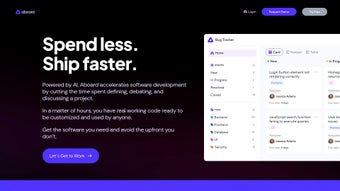
- Visual, Shareable Boards: Boards can be displayed as card grids, Kanban lanes, or classic tables. Each board supports private, team‑only, or public sharing, enabling seamless collaboration across projects, families, or hobby groups.
- Browser Clean Up: Monitors open tabs, groups them by topic, and offers a “Create Board from Tabs” action. This reduces tab overload while preserving context for future reference.
- Kanban & Table Views: Switch instantly between a visual Kanban board for task‑oriented workflows and a table view for data‑heavy analysis. Both support drag‑and‑drop, bulk editing, and inline search.
- Custom Fields & Metadata: Add personalized fields such as “Due Date,” “Priority,” or “Source Type.” These fields are searchable across all boards, providing spreadsheet‑level depth without the complexity.
- Collaboration Suite: Invite members, assign roles, comment directly on cards, and receive real‑time notifications. Permission settings can be fine‑tuned per board to protect sensitive information.
- Weekly Podcast & Newsletter: Aboard’s content team produces a podcast that explores emerging AI tools, productivity strategies, and business insights, complemented by a curated newsletter for busy professionals.
Why AI Sets Aboard Apart
Traditional data‑management solutions rely on static folder structures and manual tagging, which become outdated as projects evolve. Aboard’s AI engine continuously learns from the content you save, the way you organize it, and the collaboration patterns of your team. Over time, the system refines its suggestions, surfaces hidden connections between seemingly unrelated items, and even predicts the next resource you might need based on your current tasks.
For example, if you’re working on a UX research project and have saved several case studies, the AI might suggest adding a “User Journey Map” template or linking to a recent design trend article. This dynamic intelligence reduces repetitive organization work, accelerates knowledge discovery, and lets users focus on creation rather than curation. Moreover, the AI respects privacy—processing occurs on secure servers with end‑to‑end encryption, and no personal data is sold to third parties.
In short, the AI component transforms Aboard from a passive storage tool into an active knowledge partner that evolves alongside your workflow.
Installation, Usage & Compatibility
Step‑by‑Step Installation
- Navigate to aboard.io and click the prominent “Start Free Trial” button.
- Create an account using your email address or a single‑sign‑on option (Google, Microsoft, or Apple). Verify your email to activate the account.
- After login, you’ll land on the web dashboard where you can immediately begin creating boards or importing existing data.
- To install the browser extension, click the “Add Extension” prompt for Chrome, Edge, or Firefox. Follow the standard browser flow to add the extension to your toolbar.
- Once the extension is installed, a small Aboard icon appears next to the address bar. Click it to capture the current page, drag‑and‑drop files onto the icon, or open the quick‑capture panel.
First‑Time Usage Tips
After installing the extension, start by capturing a handful of URLs you frequently use—perhaps your project management tool, a research article, and a design inspiration site. The AI will instantly suggest a “Research Board” and populate it with tags like “UX,” “Case Study,” and “2025 Trends.” Review the board, add any custom fields you need (e.g., “Stakeholder”), and then share the board with teammates by inviting them via email. Use the Kanban view to move cards from “To Review” to “Approved,” and switch to the Table view when you need a spreadsheet‑style overview for reporting or exporting. The built‑in search bar works across all boards, allowing you to locate any piece of content in seconds, even if you only remember a fragment of the original title.
Operating System & Browser Support
Aboard is a cloud‑based SaaS platform, so it works on any modern operating system with a compatible browser. Officially supported environments include:
- Windows 10/11 (Chrome, Edge, Firefox)
- macOS Monterey and later (Chrome, Safari, Firefox)
- Linux distributions with recent Chromium‑based browsers
- iOS 14+ (Safari, Chrome) – limited to the mobile web version
- Android 9+ (Chrome, Edge) – mobile web access only
The browser extension is available for Chrome, Edge, and Firefox on desktop platforms. Mobile users can still capture content via the share‑to‑Aboard feature built into the web app, ensuring a consistent experience across devices.
Pricing & Offers
The standard subscription is $9.99 per user per month when billed annually. New users receive a 14‑day free trial with full access to all features. Enterprise plans with advanced admin controls, SSO integration, and dedicated support are available on request and are priced based on seat count and required features.
Pros, Cons, Frequently Asked Questions & Expert Review
Pros
- AI‑driven board creation saves time and eliminates manual tagging.
- Multiple visual board formats (grid, Kanban, table) support diverse workflows.
- Browser Clean Up consolidates open tabs into organized boards, reducing distraction.
- Custom fields provide spreadsheet‑level flexibility without the learning curve.
- Cross‑platform web access ensures productivity from any device.
- Weekly podcast and newsletter deliver continuous learning and industry insights.
- Robust permission settings keep sensitive data secure while enabling collaboration.
Cons
- The full feature set requires a paid subscription; the free tier limits boards and items.
- Mobile experience is limited to the web version; no native iOS/Android apps are available yet.
- AI suggestions may occasionally misinterpret niche or highly technical content, requiring manual correction.
- Onboarding can feel overwhelming due to the breadth of options and customization possibilities.
- Export options are currently limited to CSV and PDF, lacking direct integration with some legacy tools.
Frequently Asked Questions
Can I use Aboard for personal projects as well as team collaboration?
Absolutely. Aboard lets you create private boards for solo use, as well as shared boards with configurable permissions for teams, families, or friends.
How secure is my data on Aboard?
Aboard uses end‑to‑end encryption for data in transit and at rest, complies with GDPR and CCPA standards, and offers two‑factor authentication to protect your account.
Is there a limit on the number of boards or items I can create?
The free tier limits you to 5 boards and 100 items. Paid plans provide unlimited boards, items, and storage.
Can I import existing bookmarks or CSV files?
Yes. Aboard includes an import wizard that accepts Chrome/Firefox bookmark HTML files, CSV exports, and direct integrations with services like Pocket and Raindrop.io.
What happens if I cancel my subscription?
Your account will downgrade to the free tier at the end of the billing period. All data remains accessible, but features beyond the free limits will be locked until you upgrade again.
Expert Review
Aboard delivers a compelling mix of AI assistance and visual organization that feels fresh compared to traditional bookmark managers. The AI Board Builder is its standout feature, turning a chaotic list of links into actionable, searchable boards within seconds. While the learning curve can be steep for newcomers, the platform’s extensive help center, onboarding videos, and community forum mitigate most friction.
For teams that need a shared knowledge hub, Aboard’s permission controls and real‑time collaboration are solid, though enterprises may desire deeper admin APIs and SSO customization. The Browser Clean Up tool is a clever addition that helps users reclaim tab space without losing context. Overall, the value proposition is strong for anyone who spends a lot of time juggling research, project resources, or personal references.
The subscription price is reasonable given the AI capabilities, and the 14‑day free trial offers ample time to test the workflow. I rate Aboard 4.5 out of 5.
Rating: 4.5 / 5
Conclusion & Call to Action
Managing digital information has never been easier, thanks to Aboard’s AI‑powered approach that goes beyond simple storage and into intelligent knowledge curation. By automatically tagging, suggesting connections, and offering multiple visual board formats, Aboard reduces the time spent on manual organization and increases the speed at which teams and individuals can locate the exact piece of information they need. The platform’s cross‑device compatibility, secure data handling, and collaboration suite make it suitable for a wide range of users—from solo freelancers to large product groups.
Although the absence of native mobile apps and the initial onboarding complexity are minor drawbacks, they are outweighed by the productivity gains and the continuous learning resources Aboard provides. If you’re ready to replace mental overload with a smart, searchable board system, the best way to experience Aboard is to start the free trial and explore its AI features first‑hand. Click the button below to claim your 14‑day trial and see how Aboard can transform your workflow today.



.png)



